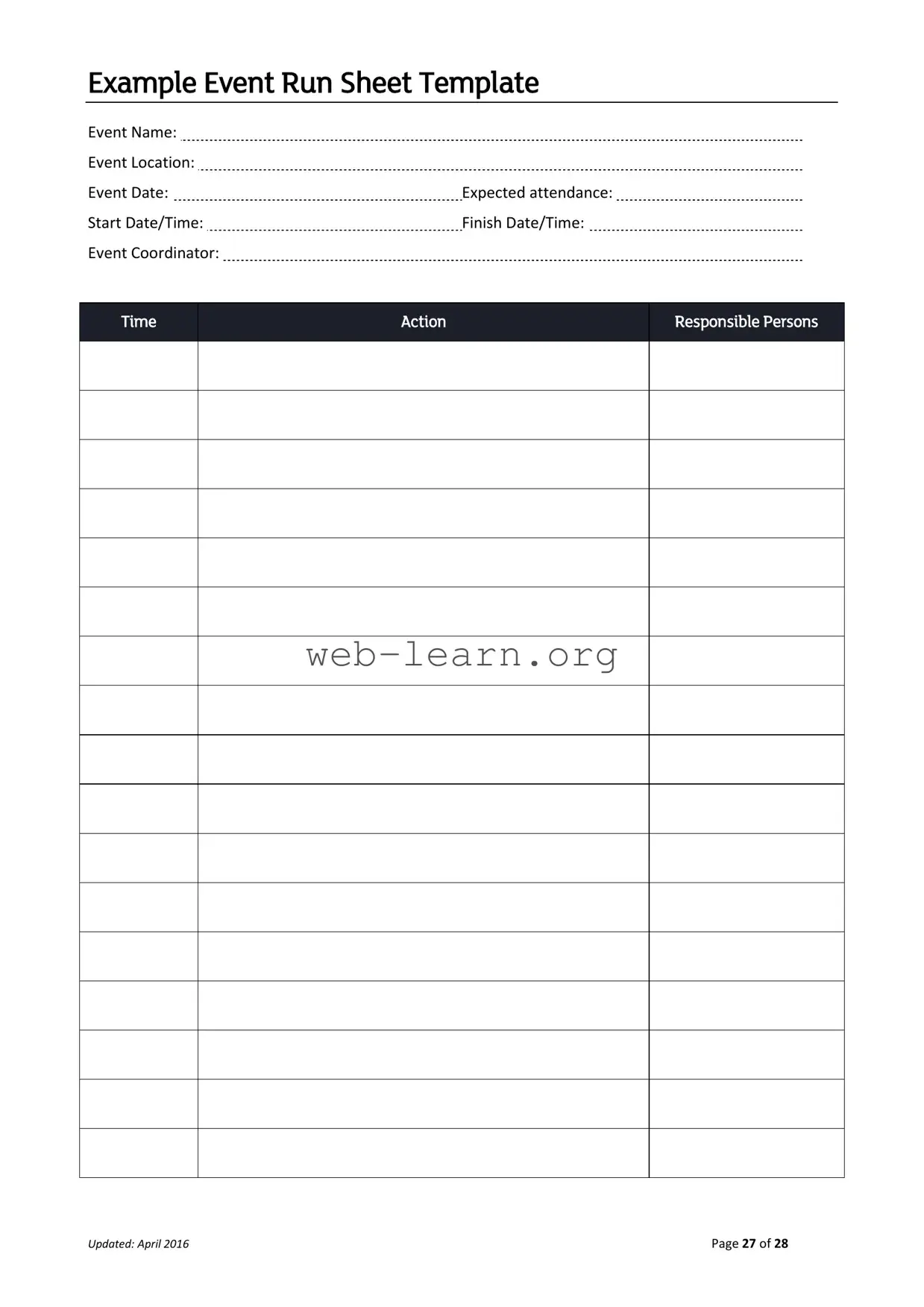
The Running Sheet form serves as an essential tool for organizing and managing events effectively. It outlines crucial details such as the event name, location, and date, providing a clear overview for everyone involved. Expected attendance figures help in planning logistics and resources, ensuring that the event runs smoothly. The form also includes start and finish times, which are vital for keeping the schedule on track. Identifying the event coordinator is key, as this person will oversee all activities and serve as the main point of contact. Additionally, the Running Sheet details specific actions and assigns responsibilities to various team members, creating accountability and clarity. This structured approach not only aids in efficient event execution but also enhances communication among all parties involved. With an updated version from April 2016, the Running Sheet continues to be a valuable resource for event planners, ensuring that no detail is overlooked.
Example Event Run Sheet Template
Event Name: |
|
Event Location: |
|
Event Date: |
Expected attendance: |
Start Date/Time: |
Finish Date/Time: |
Event Coordinator: |
|
Time
Action
Responsible Persons
Updated: April 2016 |
Page 27 of 28 |
| Fact Name | Description |
|---|---|
| Event Name | This is the title of the event and should be clearly stated at the top of the form. |
| Event Location | The physical address or venue where the event will take place is required. |
| Event Date | The specific date of the event must be included to avoid confusion. |
| Expected Attendance | Estimates of how many people are expected to attend help in planning logistics. |
| Start Date/Time | Clearly indicate when the event will begin to ensure proper scheduling. |
| Finish Date/Time | This marks when the event is expected to conclude, aiding in time management. |
| Event Coordinator | The individual responsible for overseeing the event should be listed for contact purposes. |
| Time Action | A timeline of actions to be taken before, during, and after the event is essential for organization. |
| Responsible Persons | Names or roles of individuals accountable for specific tasks should be documented. |
| Updated Date | The form includes a date indicating when it was last updated, which is important for version control. |
To successfully complete the Running Sheet form, gather the necessary information about the event. This includes details such as the event name, location, and dates. Once you have all the required information, follow the steps outlined below to fill out the form accurately.
What is a Running Sheet?
A Running Sheet is a detailed document that outlines the schedule and responsibilities for an event. It serves as a guide for event coordinators and staff to ensure everything runs smoothly.
What information do I need to fill out on the Running Sheet?
You will need to provide several key details, including:
Who is responsible for updating the Running Sheet?
The event coordinator typically oversees the Running Sheet. However, all team members involved in the event should contribute to updates as necessary.
How can the Running Sheet improve event management?
The Running Sheet enhances event management by providing a clear timeline and assigning responsibilities. This helps prevent misunderstandings and ensures everyone knows their tasks.
When should I create the Running Sheet?
It is best to create the Running Sheet well in advance of the event. Doing so allows time for adjustments and ensures all team members are informed of their roles.
Can I customize the Running Sheet for my event?
Yes, the Running Sheet can and should be customized to fit the specific needs of your event. Adjust the sections and details as necessary to suit your requirements.
What should I do if plans change after the Running Sheet is created?
If plans change, it is important to update the Running Sheet promptly. Communicate any changes to all team members to ensure everyone is on the same page.
Is the Running Sheet only for large events?
No, the Running Sheet is beneficial for events of all sizes. Whether it’s a small gathering or a large conference, having a plan helps keep everything organized.
How do I distribute the Running Sheet to my team?
You can distribute the Running Sheet electronically via email or shared documents. Alternatively, printed copies can be handed out during team meetings.
What should I do if I have questions about the Running Sheet?
If you have questions, consult with your event coordinator or team leader. They can provide clarification and assist you with any concerns regarding the Running Sheet.
Filling out the Running Sheet form is a critical task that can significantly impact the success of an event. However, many individuals make common mistakes that can lead to confusion and miscommunication. One frequent error is neglecting to include the event name. Without this essential information, it becomes challenging for team members to understand the purpose of the document.
Another mistake often seen is failing to specify the event location. This detail is vital for logistical planning and for ensuring that all participants know where to go. Omitting this information can lead to unnecessary delays and frustration on the day of the event.
People frequently overlook the importance of the event date as well. Not only does this information help in scheduling, but it also allows team members to prepare adequately. When the date is missing, it can create confusion about timelines and deadlines.
Expected attendance is another critical piece of information that is sometimes left blank. This figure helps in planning for resources, seating, and catering. Without it, the event may be ill-prepared for the number of guests, leading to a subpar experience.
Additionally, many individuals forget to fill out the start date/time and finish date/time. These timestamps are crucial for coordinating activities and ensuring that everything runs smoothly. If these times are not clearly defined, it can result in overlaps or gaps in the schedule.
The event coordinator field is also often filled out incorrectly or left incomplete. This person is responsible for overseeing the event, and without clear identification, it can lead to accountability issues. Ensuring that this information is accurate helps streamline communication.
Another common oversight is not updating the form with the latest information. The updated date is essential for tracking changes and ensuring that everyone is on the same page. Failing to keep this up to date can lead to misunderstandings and mistakes on the event day.
Finally, many people neglect to assign responsibilities in the time action responsible persons section. This lack of clarity can lead to confusion about who is responsible for specific tasks. Clearly defining roles helps ensure that every aspect of the event is managed effectively.
The Running Sheet form is an essential document for organizing events, providing a clear timeline and responsibilities for various tasks. However, several other forms and documents are often used in conjunction with the Running Sheet to ensure a successful event. Below is a list of these documents, each described briefly to highlight its purpose and importance.
Utilizing these documents alongside the Running Sheet can significantly enhance the planning and execution of an event. Each document plays a unique role in ensuring that all aspects of the event are considered and managed effectively.
The Running Sheet form is a crucial document used for organizing events, ensuring that every detail is accounted for and that responsibilities are clearly defined. Several other documents serve similar purposes in event planning and management. Here are eight documents that share similarities with the Running Sheet form:
When filling out the Running Sheet form, it’s important to follow certain guidelines to ensure accuracy and clarity. Here’s a list of things you should and shouldn’t do:
Following these tips will help ensure your Running Sheet is effective and useful for the event planning process.
Misconceptions about the Running Sheet form can lead to confusion and inefficiency in event planning. Below are eight common misconceptions, along with clarifications to help ensure a better understanding of this important tool.
When filling out and using the Running Sheet form, keep the following key takeaways in mind: