
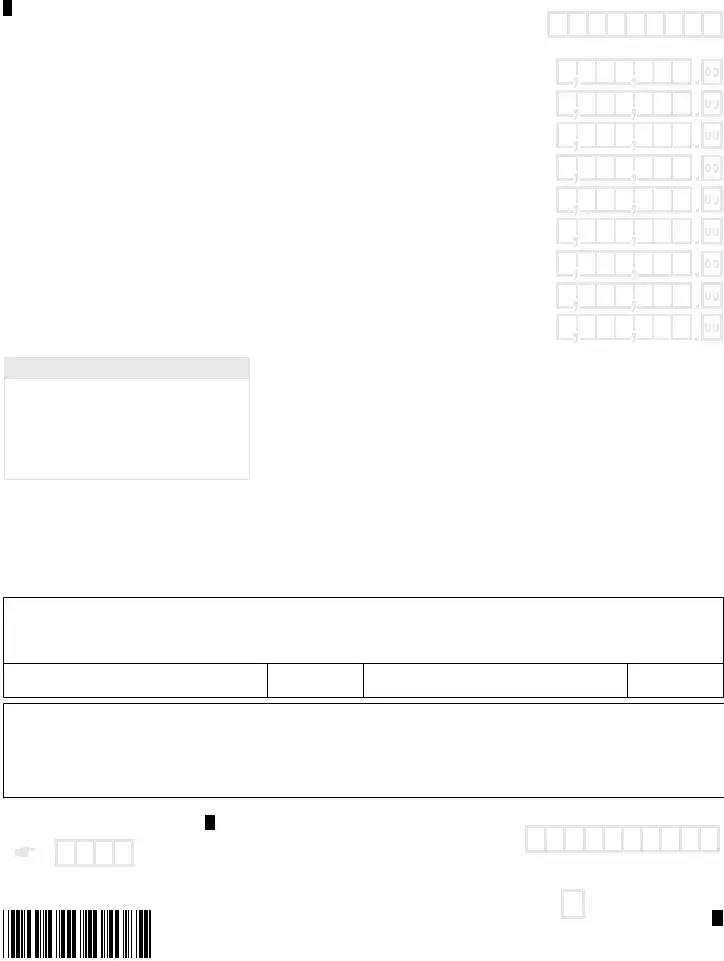
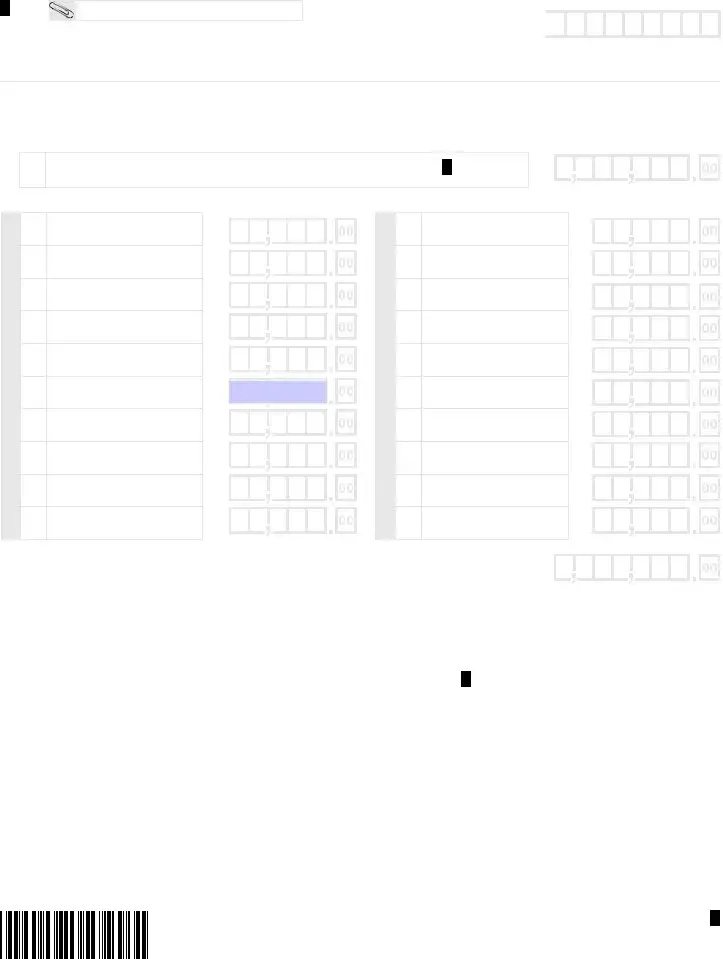
The IT-540 2D form is an essential document for Louisiana residents filing their state income tax returns. It captures vital information about the taxpayer, including personal details such as Social Security numbers, filing status, and exemptions. Taxpayers must indicate their filing status, which can range from single to married filing jointly, among other categories. The form also requires information on dependents, which can affect the total exemptions claimed. Income details, including Federal Adjusted Gross Income and deductions, are critical components that help determine the taxpayer's liability. Nonrefundable and refundable tax credits are included as well, allowing individuals to reduce their tax burden or receive refunds. The form concludes with sections for payments and any amounts owed, ensuring that all financial obligations are clearly stated. Overall, the IT-540 2D is a comprehensive tool that facilitates the accurate reporting of income and taxes for Louisiana residents.

LOUISIANA FILE ONLINE
Fast. Easy. Absolutely Free.
revenue.louisiana.gov/fileonline
Are you due a refund? If you file this paper return, it will take up to 14 weeks to get your refund check. With Louisiana File Online and direct deposit, you can receive your refund within 45 days.

Mark Box:
Name
Change
Decedent Filing
Spouse Decedent
Address Change
Amended Return
NOL Carryback
|
|
|
|
|
|
|
|
|
|
|
IMPORTANT! |
||||||||
2022 LOUISIANA RESIDENT |
|
|
|
You must enter your SSN below in the same |
|||||||||||||||
|
|
|
|
|
|
|
|
|
order as shown on your federal return. |
||||||||||
|
|
|
|
|
|
|
|
|
|
|
|
|
|
|
|
|
|
|
|
|
|
|
|
|
|
|
|
|
|
|
|
|
|
|
|
|
|
|
|
Your legal first name |
Init. |
Last name |
|
|
|
Suffix |
|
|
|
|
|
|
|
|
|
|
|
||
|
|
|
|
|
|
|
|
|
Your |
|
|
|
|
|
|
|
|
|
|
|
|
|
|
|
|
|
|
|
SSN |
|
|
|
|
|
|
|
|
|
|
If joint return, spouse’s name |
Init. |
Last name |
|
|
|
Suffix |
|
|
|
|
|
|
|
|
|
|
|
||
|
|
|
|
|
|
|
|
|
|
|
|
|
|
||||||
|
|
|
|
|
|
|
|
|
Spouse’s |
|
|
|
|
|
|
|
|
|
|
|
|
|
|
|
|
|
|
|
SSN |
|
|
|
|
|
|
|
|
|
|
Present home address (number and street including rural route) |
Unit Type |
Number |
|
|
|
|
|
|
|
|
|
|
|
||||||
|
|
|
|
|
|
|
|
|
|
|
|
|
|
|
|
|
|
|
|
City, Town, or APO |
|
|
|
State |
|
ZIP |
|
Area code and daytime telephone number |
|||||||||||
|
|
|
|
|
|
|
|
|
|
|
|
|
|
|
|
|
|
|
|
Foreign Nation, if not United States (do not abbreviate) |
|
|
|
|
|
|
|
|
|
|
|
|
|
|
|
|
|
||
|
|
|
|
|
|
|
|
|
|
|
|
|
|
|
|
|
|
|
|
M |
M |
D |
D |
Y |
Y |
Y |
Y |
|
M |
M |
D |
D |
Y |
Y |
Y |
Y |
|
Your Date of Birth |
|
Spouse’s Date of Birth |
|||||||||||||
FILING STATUS: Enter the appropriate number in the filing status box. It must agree with your federal return.
Enter a “1” in box if single.
Enter a “2” in box if married filing jointly. Enter a “3” in box if married filing separately. Enter a “4” in box if head of household.
If the qualifying person is not your dependent, enter name here.
6EXEMPTIONS:
6A |
X |
Yourself |
6B |
|
Spouse |
|
||
|
|
|
65or older
65or older
Blind
Blind
Qualifying Widow(er)
Total of 6A & 6B
Enter a “5” in box if qualifying widow(er).
If the qualifying person is not your dependent, enter name here.
6C DEPENDENTS – Enter dependent information below. If you have more than 6 dependents, attach a statement to your return with the required information. Enter the number of dependents claimed on Federal Form 1040 or
6C
First Name
Last Name
Social Security Number
Relationship to you
Birth Date (mm/dd/yyyy)
IMPORTANT!
All four (4) pages of this return MUST be mailed in together along with your
6D |
EXEMPTIONS – Total of 6A, 6B, and 6C |
6D |
6E |
DEPENDENTS FOR CERTAIN ADOPTIONS DEDUCTION – |
6E |
|
Enter the number of dependents included on Line 6C for whom |
|
|
you are claiming the Deduction for Certain Adoptions. |
|
|
Enter name here. _________________________________ |
|
6F |
TOTAL EXEMPTIONS – Subtract Line 6E from Line 6D. |
6F |
FOR OFFICE USE ONLY
Field
Flag
WEB 62330

2022 Form
Enter your Social Security Number.
If you are not required to file a federal |
|
Mark this box and enter zero “0” on Line 12. |
|
|
return, indicate wages here. |
|
|
|
|
|
|
|
|
7 |
FEDERAL ADJUSTED GROSS INCOME – If your Federal Adjusted |
|
From Louisiana |
|
Schedule E, |
||
Gross Income is less than zero, enter “0.” |
|
||
|
|
attached |
|
|
|
|
If you did not itemize your deductions on your federal return, leave Lines 8A through 8D blank and go to Line 9.
7
8A |
FEDERAL ITEMIZED DEDUCTIONS |
|
|
8B |
FEDERAL ITEMIZED DEDUCTION FOR MEDICAL AND DENTAL EXPENSES |
|
|
8C |
FEDERAL STANDARD DEDUCTION |
|
|
8D |
EXCESS FEDERAL ITEMIZED DEDUCTIONS – Subtract Line 8C from Line 8B. |
9YOUR LOUISIANA TAX TABLE INCOME – Subtract Line 8D from Line 7. If less than zero, enter “0.” Use this figure to find your tax in the tax tables.
10YOUR LOUISIANA INCOME TAX – Enter the amount from the tax table that corresponds with your filing status.
11NONREFUNDABLE PRIORITY 1 CREDITS – From Schedule C, Line 6
12TAX LIABILITY AFTER NONREFUNDABLE PRIORITY 1 CREDITS – Subtract Line 11 from Line 10. If the result is less than zero, or you are not required to file a federal return, enter zero “0.”
8A
8B
8C
8D
9
10
11
12
|
2022 LOUISIANA REFUNDABLE CHILD CARE CREDIT – Your Federal Adjusted Gross Income |
|
|||||||||||
13 |
must be EQUAL TO OR LESS THAN $25,000 to claim the credit on this line. See the instructions |
13 |
|||||||||||
|
and the Refundable Child Care Credit Worksheet. |
|
|
|
|
|
|
|
|||||
13A |
Enter the qualified expense amount from the |
Refundable |
Child Care Credit |
Worksheet, Line 3. |
13A |
||||||||
|
|
|
|
|
13B |
||||||||
13B |
Enter the amount from the Refundable Child Care Credit Worksheet, Line 6. |
|
|
|
|||||||||
|
|
|
|||||||||||
|
2022 LOUISIANA REFUNDABLE SCHOOL READINESS CREDIT – Your Federal Adjusted Gross |
|
|||||||||||
|
Income must be EQUAL TO OR LESS THAN $25,000 to claim the credit on this line. See the |
|
|||||||||||
14 |
Refundable School Readiness Credit Worksheet. |
|
|
|
|
|
|
14 |
|||||
|
5 |
|
|
4 |
|
|
3 |
|
|
2 |
|
|
|
|
|
|
|
|
|
|
|
|
|
15 |
|||
|
|
||||||||||||
15 |
EARNED INCOME CREDIT – See Louisiana Earned Income Credit (LA EIC) Worksheet, Line 3. |
||||||||||||
|
|
|
|
|
|
||||||||
16 |
OTHER REFUNDABLE PRIORITY 2 CREDITS – From Schedule F, Line 9 |
|
|
|
16 |
||||||||
|
|
|
|
|
|
|
|
|
|
|
|
|
|
|
|
|
|||||||||||
17 |
TOTAL REFUNDABLE PRIORITY 2 CREDITS – Add Lines 13, and 14 through 16. Do not include |
17 |
|||||||||||
amounts on Lines 13A and 13B. |
|
|
|
|
|
|
|
|
|
||||
|
|
|
|
|
|
|
|
|
|
|
|||
|
|
|
|
|
|
|
|
|
|
|
|
|
|
18TAX LIABILITY AFTER REFUNDABLE PRIORITY 2 CREDITS
19OVERPAYMENT AFTER REFUNDABLE PRIORITY 2 CREDITS
20NONREFUNDABLE PRIORITY 3 CREDITS – From Schedule J, Line 16
Enter the first 4 letters of your last name in these boxes.
18
19
20
CONTINUE ON NEXT PAGE.
WEB 62331

2022 Form
Enter your Social Security Number.
21 |
ADJUSTED LOUISIANA INCOME TAX – Subtract Line 20 from Line 18. |
|||
|
|
|
|
|
|
|
|
|
No use tax due. |
|
|
|
|
|
22 |
CONSUMER USE TAX - You must mark one of these boxes. |
|
|
Amount from the Consumer |
|
|
|||
|
|
|
|
|
|
|
|
|
|
|
|
|
|
Use Tax Worksheet. |
|
|
|
|
|
|
|
|
|
|
23TOTAL INCOME TAX AND CONSUMER USE TAX – Add Lines 21 and 22.
24OVERPAYMENT OF REFUNDABLE PRIORITY 2 CREDITS – Enter the amount from Line 19.
25REFUNDABLE PRIORITY 4 CREDITS – From Schedule I, Line 6
21
22
23
24
25
26 AMOUNT OF LOUISIANA TAX WITHHELD FOR 2022 – Attach Forms |
26 |
PAYMENTS |
27 |
AMOUNT OF CREDIT CARRIED FORWARD FROM 2021 |
27 |
|
|||
|
|
|
28 |
|
28 |
AMOUNT OF ESTIMATED PAYMENTS MADE FOR 2022 |
|
|
|
|
29 |
|
29 |
AMOUNT OF EXTENSION PAYMENT |
|
|
|
30 TOTAL REFUNDABLE TAX CREDITS AND PAYMENTS – Add Lines 24 through 29.
31OVERPAYMENT – If Line 30 is greater than Line 23, subtract Line 23 from Line 30. Your overpayment may be reduced by the Underpayment of Estimated Tax Penalty. Otherwise, go to Line 38.
32UNDERPAYMENT PENALTY – See the instructions for Underpayment Penalty and Form
33ADJUSTED OVERPAYMENT – If Line 31 is greater than Line 32, subtract Line 32 from Line 31, and enter on Line 33. If Line 32 is greater than Line 31, subtract Line 31 from Line 32, and enter the balance on Line 38.
34TOTAL DONATIONS – From Schedule D, Line 22
30
31
32
33
34
REFUND DUE
35 |
SUBTOTAL – Subtract Line 34 from Line 33. This amount of overpayment is available for credit or refund. |
35 |
|
|
|
|
|
36 |
AMOUNT OF LINE 35 TO BE CREDITED TO 2023 INCOME TAX |
CREDIT |
36 |
AMOUNT TO BE REFUNDED – Subtract Line 36 from Line 35. If mailing to LDR, use Address 2 on the next page.
37 Enter a “2” in box if you want to receive your refund by paper check. |
|
|
|
|
|
|
|
37 |
|
|
|
|
|
|
|
|
|
|
|
|
||||||||||||||
|
Enter a “3” in box if you want to receive your refund by direct deposit. Complete |
REFUND |
|
|
|
|
|
|
|
|
|
|
|
|
|
|
|
|
||||||||||||||||
|
information below. If information is unreadable, you are filing for the first time, or if |
|
|
|
|
|
|
|
|
|
|
|
|
|
|
|
|
|
|
|
|
|||||||||||||
|
|
|
|
|
|
|
|
|
|
|
|
|
|
|
|
|
|
|
|
|||||||||||||||
|
you do not make a refund selection, you will receive your refund by paper check. |
|
|
|
|
|
|
|
|
|
|
|
|
|
|
|
|
|
|
|
|
|||||||||||||
|
|
|
|
|
|
|
|
|
|
|
|
|
|
|
|
|
|
|
|
|
|
|
|
|
|
|
|
|||||||
|
|
|
|
|
|
|
|
|
|
|
|
|
DIRECT DEPOSIT INFORMATION |
|
|
|
|
|
|
|
|
|
|
|
|
|
||||||||
|
Type: |
Checking |
|
|
|
|
Savings |
|
|
Will this refund be forwarded to a financial |
|
Yes |
|
|
|
|
No |
|
|
|
|
|
||||||||||||
|
|
|
|
|
|
|
|
|
|
|
|
|
|
|
|
|
||||||||||||||||||
|
|
|
|
|
|
|
institution located outside the United States? |
|
|
|
|
|
|
|
|
|
||||||||||||||||||
|
Routing |
|
|
|
|
|
|
|
|
|
|
|
Account |
|
|
|
|
|
|
|
|
|
|
|
|
|
|
|
|
|
|
|
|
|
|
|
|
|
|
|
|
|
|
|
|
|
|
|
|
|
|
|
|
|
|
|
|
|
|
|
|
|
|
|
|
|
|
||
|
Number |
|
|
|
|
|
|
|
|
|
|
|
Number |
|
|
|
|
|
|
|
|
|
|
|
|
|
|
|
|
|
|
|
|
|
|
|
|
|
|
|
|
|
|
|
|
|
|
|
|
|
|
|
|
|
|
|
|
|
|
|
|
|
|
|
|
|
|
|
|
Enter the first 4 letters of your last name in these boxes.
COMPLETE AND SIGN RETURN ON NEXT PAGE.
WEB 62332
2022 Form
Enter your Social Security Number.
|
38 |
AMOUNT YOU OWE – If Line 23 is greater than Line 30, subtract Line 30 from Line 23. |
||||||
|
|
|
|
|
|
|
|
|
|
39 |
ADDITIONAL DONATION TO THE MILITARY FAMILY ASSISTANCE FUND |
|
|
|
|
|
|
LOUISIANA |
|
|
|
|
||||
40 |
ADDITIONAL DONATION TO THE COASTAL PROTECTION AND RESTORATION FUND |
|||||||
|
|
|
|
|
|
|
||
41 |
ADDITIONAL DONATION TO LOUISIANA FOOD BANK ASSOCIATION |
|
|
|
|
|
||
|
|
|
|
|
|
|
||
42 |
INTEREST – From the Interest Calculation Worksheet, Line 5. |
|
|
|
|
|
||
DUE |
|
|
|
|
|
|||
|
|
|
|
|
|
|
||
43 |
DELINQUENT FILING PENALTY – From the Delinquent Filing Penalty Calculation Worksheet, Line 3. |
|||||||
AMOUNTS |
||||||||
|
|
|
|
|||||
44 |
DELINQUENT PAYMENT PENALTY – From Delinquent Payment Penalty Calculation Worksheet, Line 7. |
|||||||
|
|
|
|
|
|
|||
45 |
UNDERPAYMENT PENALTY – See the instructions for Underpayment Penalty and Form |
|
|
|||||
|
|
|||||||
|
If you are a farmer, check the box. |
|
|
|
|
|
||
|
|
|
|
|
|
|
||
|
|
|
|
|
|
|
|
|
|
|
BALANCE DUE LOUISIANA – Add Lines 38 through 45. |
PAY THIS AMOUNT. |
|||||
|
46 |
If mailing to LDR, use address 1 below. For electronic payment |
||||||
|
|
options, see instructions. |
|
|
|
|
|
|
|
|
|
|
|
|
|
|
|
IMPORTANT!
All four (4) pages of this return
MUST be mailed in together along
with your
Do not staple.
38
39
40
41
42
43
44
45
46
DO NOT SEND CASH.
Under penalties of perjury, I declare that I have examined this return and accompanying schedules and statements, and to the best of my knowledge and belief, they are true, correct, and complete. Declaration of preparer (other than taxpayer) is based on all information of which preparer has any knowledge. If I made a contribution to a START Savings Program, I consent that my Social Security Number may be given to the Louisiana Office of Student Financial Assistance to properly identify the START Savings Program account holder. If married filing jointly, both Social Security Numbers may be submitted. I understand that by submitting this form I authorize the disbursement of individual income tax refunds through the method as described on Line 37.
Your Signature
Date (mm/dd/yyyy)
Spouse’s Signature (If filing jointly, both must sign.)
Date (mm/dd/yyyy)
PAID
PREPARER USE ONLY
Print/Type Preparer’s Name |
Preparer’s Signature |
Date (mm/dd/yyyy) |
Check if |
|
|
|
|
|
|
Firm’s Name ➤ |
|
|
Firm’s FEIN ➤ |
|
|
|
|
|
|
Firm’s Address ➤ |
|
|
Telephone ➤ |
|
|
|
|
|
|
Enter the first 4 letters of your last name in these boxes.
{ A d d r e s s }
|
Individual Income Tax Return |
|
Calendar year return due 5/15/2023 |
|
|
1 |
Mail Balance Due Return with Payment |
TO: Department of Revenue |
|
P. O. Box 3550 |
|
|
Baton Rouge, LA |
2 |
Mail All Other Individual Income Tax Returns |
TO: Department of Revenue |
|
P. O. Box 3440 |
|
|
Baton Rouge, LA |
PTIN, FEIN, or LDR Account Number
of Paid Preparer
WEB
For Office |
|
Use Only. |
62333 |
|

ATTACH TO RETURN IF COMPLETED.
Enter your Social Security Number.
SCHEDULE C – 2022 NONREFUNDABLE PRIORITY 1 CREDITS
1CREDIT FOR TAX LIABILITIES PAID TO OTHER STATES – A copy of the return filed with the other states and Form
|
1A |
Enter the total of Net Tax Liability Paid to Other States from Form |
|
|
|
|
|
|
|
|
|
||
|
|
|
|
|
|
|
|
1B |
Enter the Credit for Taxes Paid to Other States from Form |
|
|
||
|
|
|
|
|
|
|
1A
1B
Additional Nonrefundable Priority 1 Credits
Enter credit description and associated code, along with the dollar amount of credit claimed. See the instructions.
Credit Description |
Credit Code |
Amount of Credit Claimed |
2
3
4
5
6TOTAL NONREFUNDABLE PRIORITY 1 CREDITS – Add Lines 1B, and 2 through 5. Also, enter this amount on Form
2
3
4
5
6
Description |
Code |
Premium Tax |
100 |
|
|
Bone Marrow |
120 |
|
|
Description |
Code |
Qualified Playgrounds |
150 |
|
|
Debt Issuance |
155 |
|
|
Description |
Code |
Other |
199 |
|
|
File
electronically!
www.revenue.louisiana.gov/fileonline
WEB 62334
ATTACH TO RETURN IF COMPLETED.
Enter your Social Security Number.
SCHEDULE D – 2022 DONATION SCHEDULE
Individuals who file an individual income tax return and have overpaid their tax may choose to donate all or part of their overpayment shown on Line 33 of Form
1
Adjusted Overpayment – From
1
DONATIONS OF LINE 1
2The Military Family Assistance Fund
3Coastal Protection and Restoration Fund
4The START Program
5Wildlife Habitat and Natural Heritage Trust Fund
6Louisiana Cancer Trust Fund
7Louisiana Pet Overpopulation Advisory Council
8Louisiana Food Bank Association
9
10Louisiana Association of United Ways/LA
11American Red Cross
2
3
4
5
6
7
8
9
10
11
DONATIONS OF LINE 1
12Louisiana National Guard Honor Guard for Military Funerals
13Louisiana State Troopers Charities, Inc.
14Louisiana Horse Rescue Association
15Louisiana Coalition Against Domestic Violence
16Dreams Come True, Inc.
17Sexual Trauma Awareness and Response (STAR)
Louisiana State University Agricultural
18Center Grant Walker Educational Center
19Maddie’s Footprints
20University of New Orleans Foundation
21Southeastern Louisiana University Foundation
12
13
14
15
16
17
18
19
20
21
22 |
TOTAL DONATIONS – Add Lines 2 through 21. This amount cannot be more than Line 1. Also, enter this amount |
22 |
|
on Form |
|||
|
|
||
|
|
|
WEB 62335
| Fact Name | Details |
|---|---|
| Form Purpose | The IT-540-2D form is used by Louisiana residents to file their individual income tax returns. |
| Eligibility | Only residents of Louisiana who meet certain income thresholds and filing requirements should use this form. |
| Filing Status | Taxpayers must select their filing status, which can include single, married filing jointly, or head of household. |
| Exemptions | Taxpayers can claim exemptions for themselves, their spouses, and dependents, which can reduce taxable income. |
| Tax Credits | The form allows for various tax credits, including refundable and nonrefundable credits for child care and education. |
| Due Date | The IT-540-2D must be filed by May 15 of the year following the tax year. |
| Governing Law | This form is governed by Louisiana state tax laws and regulations, specifically the Louisiana Revised Statutes. |
| Refund Options | Taxpayers can choose to receive their refund via direct deposit, paper check, or a MyRefund Card. |
Completing the IT-540-2D form for Louisiana requires careful attention to detail. Follow these steps to ensure accurate and timely submission.
After completing these steps, review your form for accuracy before submission. Ensure all required documents are attached, and keep a copy for your records. This will help facilitate a smooth processing of your tax return.
The IT-540-2D is the individual income tax return form used by residents of Louisiana. It is specifically designed for those who need to report their income, claim exemptions, and determine their tax liability for the tax year. This form is essential for ensuring compliance with Louisiana state tax laws.
Residents of Louisiana who earn income and are required to file a state income tax return must complete the IT-540-2D form. This includes individuals who have taxable income, as well as those who may qualify for certain credits or deductions. If you are unsure whether you need to file, it is advisable to consult with a tax professional.
To fill out the IT-540-2D form, you will need to provide personal information such as your Social Security Number, filing status, and details about your dependents. Additionally, you must report your federal adjusted gross income, itemized deductions, and any applicable tax credits. Accurate documentation, including W-2 forms and other income statements, is crucial for a successful filing.
Your filing status is determined based on your marital status and household situation as of December 31 of the tax year. The IT-540-2D provides options for various statuses, including single, married filing jointly, married filing separately, head of household, and qualifying widow(er). Make sure to select the status that aligns with your federal return.
Nonrefundable tax credits reduce your tax liability but cannot result in a refund if they exceed your tax owed. For example, if you qualify for a $500 nonrefundable credit but owe only $300 in taxes, you will not receive the remaining $200. Refundable tax credits, on the other hand, can lead to a refund if they exceed your tax liability. Understanding the difference is vital for maximizing your tax benefits.
If you realize that you made an error after submitting your IT-540-2D form, you can file an amended return. Use the appropriate forms and follow the guidelines provided by the Louisiana Department of Revenue to correct the mistake. It is important to address errors promptly to avoid potential penalties or interest charges.
The deadline for filing the IT-540-2D form typically aligns with the federal tax deadline, which is usually April 15. However, if that date falls on a weekend or holiday, the deadline may be extended. For the 2013 tax year, the filing deadline was May 15, 2014. Always verify the specific deadline for the tax year you are filing.
You can choose how to receive your tax refund when completing the IT-540-2D form. Options include a direct deposit into your bank account, a paper check, or a MyRefund Card. If you do not make a selection, the default method is the MyRefund Card. Ensure that you provide accurate banking information if you opt for direct deposit to avoid delays.
Filling out the IT-540 2D Louisiana form can be a straightforward process, but many individuals make common mistakes that can lead to delays or issues with their tax returns. Here are seven mistakes to watch out for.
First, many people fail to ensure that their filing status on the IT-540 2D matches what they reported on their federal return. This inconsistency can raise red flags and complicate the filing process. Always double-check that the number you enter corresponds with your federal filing status.
Another frequent error involves the exemptions section. Taxpayers often overlook entering the correct number of exemptions, particularly for dependents. If you have more than six dependents, you must attach a separate statement. Missing this can result in incorrect calculations of your tax liability.
Next, some individuals mistakenly enter their federal adjusted gross income incorrectly. If your income is less than zero, you should enter “0.” Failing to do this can lead to an inaccurate tax calculation.
Many filers also miscalculate their federal itemized deductions and standard deduction. Ensure that you subtract the correct amounts to avoid errors in your taxable income. If you are unsure, it’s worth reviewing your federal return to confirm these figures.
Another common oversight is not marking the box for nonrefundable tax credits correctly. If you qualify for credits like the Louisiana Child Care Credit, make sure to enter the amounts accurately. Missing or incorrectly entering these credits can significantly affect your tax refund or amount owed.
People sometimes forget to include all payments made throughout the year, such as tax withheld or estimated payments. Ensure you attach the necessary Forms W-2 and 1099, as these documents provide critical information for your return.
Finally, many taxpayers neglect to sign the form or provide their spouse's signature if filing jointly. This simple step is crucial; without signatures, the return may be considered incomplete, leading to potential penalties or delays in processing.
By being aware of these common mistakes, you can ensure a smoother filing experience with your IT-540 2D Louisiana form. Take the time to review your entries carefully, and don't hesitate to seek assistance if needed.
The IT-540-2D form is an essential document for Louisiana residents filing their state income tax returns. However, several other forms and documents are commonly used in conjunction with it to ensure accurate reporting and compliance. Below is a list of these forms, each serving a specific purpose in the tax filing process.
By utilizing these forms alongside the IT-540-2D, taxpayers can navigate the complexities of Louisiana's tax requirements more effectively. Each document plays a vital role in ensuring that all income, deductions, and credits are accurately reported, ultimately leading to a smoother filing experience.
The IT-540-2D Louisiana form is a key document for Louisiana residents filing their state income taxes. Several other tax forms share similarities with it, often serving specific purposes or addressing particular situations. Here’s a list of nine documents that are similar to the IT-540-2D form, along with explanations of how they relate:
Each of these forms serves a unique purpose, yet they share common threads with the IT-540-2D, emphasizing the importance of accurate reporting and the potential for deductions and credits in the tax filing process.
When filling out the IT-540-2D Louisiana form, keep these essential tips in mind:
Avoid these common mistakes:
This form is designed for all Louisiana residents filing their state income tax, regardless of income level. It accommodates a variety of financial situations.
While many people file both, you can still file the IT-540 2D if you are not required to file a federal return. Just indicate that on the form.
Filing jointly is an option for married couples, but single individuals can file as well. The form accommodates various filing statuses.
Tax credits must be claimed on the form. You should carefully review the sections for refundable and nonrefundable credits to ensure you receive all eligible benefits.
While tax forms can be daunting, the IT-540 2D is structured to guide you through the process. Many people successfully complete it on their own.
Dependents can include children or relatives who meet specific criteria, even if they do not live with you full-time. Understanding the rules can help maximize your exemptions.
If you discover an error after filing, amending your return can be straightforward. It is important to correct mistakes to avoid potential issues down the line.
State refunds are independent of federal obligations. You may still receive a refund from Louisiana even if you owe money to the federal government.
Any resident of Louisiana, regardless of where they were born, can file the IT-540 2D form. Residency is the key factor, not birthplace.
You can file the IT-540 2D electronically or by mail. Both methods are valid and secure, allowing you to choose the option that works best for you.
When filling out the IT-540-2D Louisiana form, there are several important points to keep in mind. Understanding these can help ensure that your tax return is completed accurately and efficiently.
By following these key takeaways, you can navigate the IT-540-2D Louisiana form with greater confidence and accuracy. Always double-check your entries to avoid any mistakes that could delay processing or lead to complications.