Homepage Blank Bt 1 Indiana Form
Outline

Starting a business in Indiana involves navigating various regulatory requirements, and one of the key steps is completing the BT-1 form, officially known as the Business Tax Application. This form serves as a vital tool for both new and existing businesses, enabling them to register with the Indiana Department of Revenue (DOR) and update their business information. When filling out the BT-1, applicants must provide essential details such as their Federal Tax ID Number, also known as an Employer Identification Number (EIN), and an Indiana Taxpayer Identification Number (TID) if applicable. Additionally, the form requires the business contact's name and phone number, along with the reason for the application—whether it’s for starting a new business, adding a location, or registering for different tax types. The legal name of the business entity, trade name, and type of organization must also be specified. Corporations need to include their state of incorporation and date of incorporation, while all applicants must provide a North American Industry Classification System (NAICS) code that accurately describes their business activities. The BT-1 form also addresses outstanding tax liabilities, which can affect the approval process. Completing this form accurately is crucial, as it lays the foundation for compliance with Indiana's tax obligations and supports the growth of the business.


Sample - Bt 1 Indiana Form

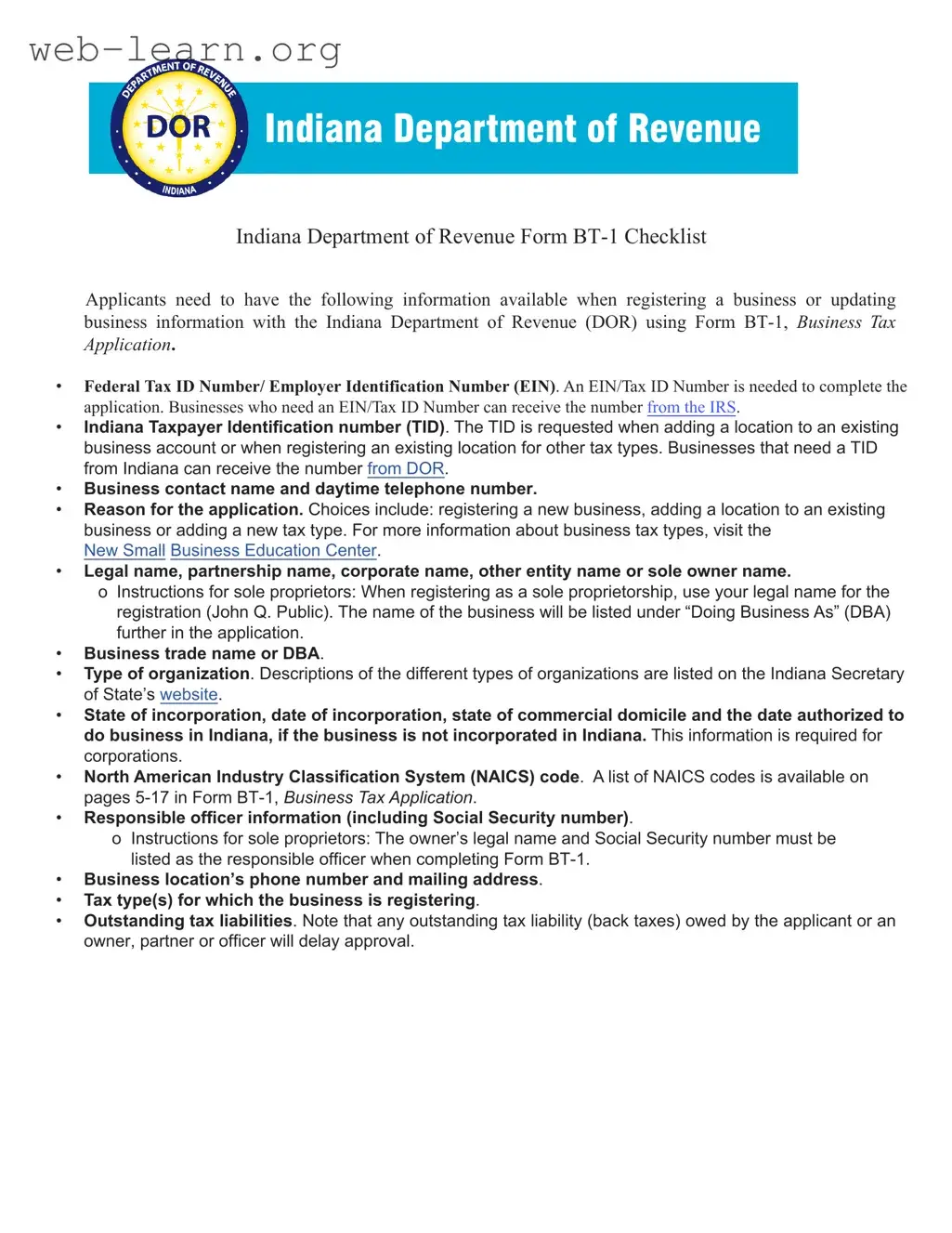
Indiana Department of Revenue Form BT-1 Checklist
Applicants need to have the following information available when registering a business or updating
business information with the Indiana Department of Revenue (DOR) using Form BT-1, Business Tax
Application.
Federal Tax ID Number/ Employer Identification Number (EIN). An EIN/Tax ID Number is needed to complete the
application. Businesses who need an EIN/Tax ID Number can receive the number from the IRS.
Indiana Taxpayer Identification number (TID). The TID is requested when adding a location to an existing
business account or when registering an existing location for other tax types. Businesses that need a TID
from Indiana can receive the number from DOR
.
Business contact name and daytime telephone number.
Reason for the application.
Choices include: registering a new business, adding a location to an existing
business or adding a new tax type. For more information about business tax types, visit the
New Small
Business Education Center.
Legal name, partnership name, corporate name, other entity name or sole owner name.
o
Instructions for sole proprietors: When registering as a sole proprietorship, use your legal name for the
registration (John Q. Public).
The name of the business will be listed under “Doing Business As” (DBA)
further in the application.
Business trade name or DBA.
Type of organization. Descriptions of the different types of organizations are listed on the Indiana Secretary
of State’s website.
State of incorporation, date of incorporation, state of commercial domicile and the date authorized to
do business in Indiana, if the business is not incorporated in Indiana. This information is required for
corporations.
North American Industry Classification System (NAICS) code. A list of NAICS codes is available on
pages 5-17 in Form BT-1, Business Tax Application.
Responsible officer information (including Social Security number).
o Instructions for sole proprietors: The owner’s legal name and Social Security number must be
listed as the responsible officer when completing Form BT-1.
Business location’s phone number and mailing address.
Tax type(s) for which the business is registering.
Outstanding tax liabilities. Note that any outstanding tax liability (back taxes) owed by the applicant or an
owner, partner or officer will delay approval.
Indiana Department of Revenue
Business Tax Application
A separate application is required for each business location.
To le this application online, visit:
https://inbiz.in.gov/BOS/Home/Index
Section A: Taxpayer Information (see instructions on page 1)
Please print legibly or type the information on this application.
1. Federal Identication Number (FEIN):
___ ___ -— ___ ___ ___ ___ ___ ___ ___
2. If this business is currently registered with the Department of
Revenue, enter your Taxpayer Identication Number (TID):
___ ___ ___ ___ ___ ___ ___ ___ ___ ___ ___ ___ ___
3. Name of contact person responsible for ling tax forms. (Complete
Section I)
4. Contact person’s daytime telephone number:
A B Ext.
5. Check (only one) reason for ling this application: Starting New Business Business Under New Ownership To Change Type of Organization
To Add Location to Existing Account To Register for Other Type(s) of Tax Other ___________________________________________
6.
Owner name, Legal name, Partnership name,
Corporate name or
Other entity name: Check if foreign address (See instructions)
B _____________________________________________________
If sole owner (last name, rst name, middle initial, Su󰀩x)
C ______________________________________________________
Primary Address: D ________________________________________
City: E _________________________________________________
State: F ______________________ Zip Code: G _______________
County: H ______________________________________________
Email Address: I _________________________________________
7. Business trade name or DBA and physical location: (This name and
address is for the business location.) Check if foreign address
(See instructions)
Name: B _______________________________________________
P.O. Box numbers cannot be used as a business location address.
Street Address: C ________________________________________
City: D _________________________________________________
State: E ___________________ Zip Code: F __________________
County: G _________________ Township: H __________________
Business Location
Telephone Number: I ______________________ J Ext. _________
8. Check the type of organization of this business: Sole Proprietor Partnership LLP LP Corporation S Corp
LLC Nonprot Fed Govt Other Govt Other ___________________________________________________________
9. Indiana Secretary of State Control # __________________________ See www.in.gov/sos/ for requirements.
10. All corporations answer the following questions: Otherwise, proceed to Question 11.
A. State of Incorporation:
B. Date of Incorporation:
Month Day
Year
C. State of Commercial Domicile:
D. If not incorporated in Indiana, enter the
date authorized to do business in Indiana. Month
Day
Year
E. Accounting period
year ending date:
Month Day
11. North American Industry Classication System
(NAICS): Please enter a primary and any
secondary code(s) that may apply.
PRIMARY
12. Owner, Partners, or O󰀩cers (Attach separate sheet if necessary.) Social Security Numbers are required in accordance with IC 4-1-8-1.
A
Social Security
Number
B
RO Start
Date
C E E F
Last Name, First Name, Middle Initial, Su󰀩x
G
Title
H
Street Address City State Zip Code
1
2
3
13.
K
Are you a Marketplace Facilitator? (See instructions and complete Line 14 and Section J)
14. Tax(es) to be Registered for this Business Location (Check all that apply.)
A Withholding Tax (Complete Section C.) F Private Employment Agency (See instructions on page 2.)
B County Innkeepers Tax (Complete Section E.) G Tire Fee (Complete Section G.)
C Food and Beverage Tax (Complete Section D.) H Heavy Equipment Rental Excise Tax (Complete Section H.)
D Motor Vehicle Rental Excise Tax (Complete Section F.) I Peer to Peer Vehicle Excise Tax (Complete Section I.)
E Sales Tax (Complete Section B for a Registered Retail Merchant Certicate.)
Form BT-1
State Form 43760
(R21 / 4-21)
Visit INTIME.dor.in.gov for an easier way to le and pay your business taxes online.
Page 2a (Please print legibly or type the information on this application.) Business Tax Application
Section B: Sales Tax (RST) Tax Registration (Valid for two years, see instructions on page 2)
($25 Nonrefundable Registration Fee for Retail Merchant Certicate)
Contact the Department at (317) 232-2240 for more information regarding these taxes.
1. Registration date of this location under this ownership:*
* See Instructions on page 2. Month Year
9. Estimated monthly taxable sales:
$
(Must be $1 or more; see instructions on page 2)
Check the appropriate responses.
2. Is this business seasonal? Yes No
If yes, check active months. (Check no more than nine.)
A B C D E F G H I J K L
Jan Feb Mar Apr May Jun Jul Aug Sep Oct Nov Dec
3. Will you provide lodging or accommodations for periods of
less than 30 days? Yes No
If yes, complete Section E.
10. Do you sell tires? Yes No
If yes, complete Section G.
4. Will prepared foods or beverages be sold/catered?
Yes No
If yes, complete Section D.
11. Will Heavy Equipment be rented for less than 30 days from this location?
Yes No
If yes, complete Section H.
5. Will alcoholic beverages, beer, wine or packaged liquor
be sold from this location? Yes No
If yes, and you have one, enter your ATC Permit Number.
Expiration Date
Month Day Year
12. Are you registered for Streamline Sales Tax? Yes No
If you are registered, enter your Streamline Sales Tax
(SSTID) Number.
If you should need to register (you must file online) go to
in.gov/dor/business-tax/sales-tax/streamlined-sales-tax/
6. Will gasoline, gasohol or special fuels be sold through a
metered pump? Yes No
7. Will cars or trucks (less than 11,000 lbs Gross Vehicle
Weight) be rented for less than 30 days from this location?
Yes No
If yes, complete Section F.
13. If you are reporting sales tax on a consolidated basis, is this
location to be included in your consolidated account?
Yes No
If yes, enter your Reporting Number (TID).
_______________________________ __________
8. Do you occasionally make sales in the State of Indiana at
fairs, ea markets,
etc? Yes No
Section C: Withholding Tax (WTH) Registration (see instructions on page 2)
(No Registration Fee)
Contact the Department at (317) 232-2240 for more information regarding this tax.
1. Accounting Period
Year Ending Date 12 31
Month Day
2. Date taxes rst withheld from an Indiana
resident/employee under this ownership
Month Year
3. Anticipated monthly wages paid to Indiana
resident/employees
$
4. Mailing name and address for WTH tax returns (if di󰀨erent from Section A, Line 6) Check if foreign address (see instructions)
In care of: B_______________________________________ Street Address: C__________________________________________________
City: D_______________________________________________ State: E_________________ ZIP Code: F_____________________
5. Are you a Race Team withholding income taxes for Race Team
Members who are nonresident employees/independent contractors? Yes No
Section D: Food and Beverage (FAB) Tax Registration (see instructions on page 3) (No Additional Fee)
Sales Tax Section B must also be completed.
Contact the Department at (317) 232-2240 for more information regarding this tax.
Complete this section if prepared foods or beverages will be sold.
1. Date of rst sales at this location under this ownership
Month Year
2. Enter the name(s) of the county(ies), city(ies) and/or town(s) where
prepared foods or beverages are sold or catered and list start dates.
A County B City or Town C Starting Date
1.________________ ______________________ ______________
2.________________ ______________________ ______________
3.________________ ______________________ ______________
Page 3a (Please print legibly or type the information on this application.) Business Tax Application
Section E: County Innkeepers Tax (CIT) Registration (see instructions on page 3) (No Additional Fee)
Sales Tax Section B must also be completed.
Contact the Department at (317) 232-2240 for more information regarding this tax.
Complete this section if you will provide lodging or accommodations for periods of less than thirty days.
1. Date room rentals or accommodations begin from this location
Month Year
Section F: Motor Vehicle Rental (MVR) Excise Tax Registration (see instructions on page 3) (No Additional Fee)
Sales Tax Section B must also be completed.
Contact the Department at (317) 232-2240 for more information regarding this tax.
If cars or trucks (less than 11,000 lbs Gross Vehicle Weight) will be rented for less than thirty days from this location, complete this section.
1. Date motor vehicle rental or leasing begins
Month
Year
2. Tax District Number: _________________________________
If unkown, contact the County Assessors o󰀩ce.
Section G: Tire Fee (TIF) Registration (see instructions on page 3) (No registration fee)
Contact the Department at (317) 232-2240 for more information regarding this fee.
Complete this section if you will be selling new replacement tires and/or new tires mounted on motor vehicles.
1. Date sales begin from this location:
Month Year
Section H: Heavy Equipment Rental Excise Tax Registration (see instructions on page 3) (No Additional Fee)
Sales Tax Section B must also be completed.
Contact the Department at (317) 232-2240 for more information regarding this tax.
If heavy equipment will be rented for less than thirty days from this location, complete this section.
1. Date heavy equipment rental or leasing begins
Month Year
2. Tax District Number: _________________________________
If unkown, contact the County Assessors o󰀩ce.
Section I: Peer to Peer Vehicle Sharing Excise Tax
If vehicle sharing will be for less than thirty days from this location, complete this section.
1. Date vehicle sharing begins
Month
Year
Section J: Marketplace Facilitator
See instructions for more details on Marketplace Facilitators.
1. Does this business operate a marketplace on which it facilitates sales to Indiana customers?
If box is checked, ensure section B is complete.
A marketplace is a forum used to
connect sellers to buyers. A business is
a marketplace facilitator if it operates a
marketplace AND collects the payment or
provides access to payment services on
behalf of the seller. These boxes should not
be checked unless the registering business
is operating a marketplace AND facilitating
sales for third parties. A business that is
selling through a marketplace should NOT
check any of these boxes.
2. Does this marketplace facilitate the provision of accommodations to Indiana customers?
If box is checked, ensure section E is complete.
3. Does this marketplace facilitate the sale and delivery of prepared food to Indiana customers?
If box is checked, ensure section D is complete.
4. Does this Marketplace facilitate the sharing of personal vehicles?
If box is checked, ensure section I is complete.
Page 4a (Please print legibly or type the information on this application.) Business Tax Application
Section K: Signature Section
Contact the Department at (317) 232-2240 for more information regarding this application.
I hereby certify that the statements are correct.
Signature: __________________________________________ Title: __________________________ Date: ______________________
This application must be signed by the owner, general partner, corporate o󰀩cer, or resident agent before it will be accepted by the Department. (IC
6-8.1-3-4)
Note:
Failure to remit sales tax due and/or income tax withheld is a felony punishable by imprisonment, a ne of $10,000 plus a 100-percent fraud penalty.
The partners or corporate o󰀩cers are each personally, jointly and severally liable for the sales and use tax* collected and the withholding tax
withheld. These taxes are trust fund taxes and are not discharged in bankruptcy proceedings.
*This includes: County Innkeepers Tax (CIT), Food and Beverage Tax (FAB), Tire Fee (TIF), and Motor Vehicle Rental and County Supplemental
Excise Tax (MVR).
Mail To: Private Employment Agencies Only
Mail To:
Indiana Department of Revenue
Tax Administration Processing
P. O. Box 6197
Indianapolis, IN 46206-6197
Titles and Clearances Division
100 N. Senate Ave
Indianapolis, IN 46204
For additional information about private
employment agencies:
Call (317) 232-5977
Page 1
Instructions for Completing Form BT-1
Please allow four to six weeks for processing.
Purpose: Form BT-1 is an application used when registering with the
Indiana Department of Revenue for Sales Tax, Withholding Tax, Out-of-
State Use Tax, Food and Beverage Tax, County Innkeepers Tax, Tire Fee,
and Motor Vehicle Rental Excise Tax, or a combination of these taxes.
e form also allows you to add a new tax type to an existing registered
location in the event your business activities expand.
Be sure to answer all applicable questions. Failure to do so may
result in delays in establishing an account for you or may result in
penalty assessments for returns that cannot post to your account.
Please print legibly or type the information on your application.
Note: Any outstanding tax liability owed by the applicant or
an owner, partner, or ocer will delay application approval.
Section A
(is section is devoted to taxpayer information.)
Line 1: According to federal guidelines, most partnerships and all
corporations are required to obtain a Federal Identication Number
(FID). is number is also required whenever you withhold federal
income tax from employees, regardless of ownership type. If you have a
FID, enter it on Line 1. is form may be submitted to the Department
of Revenue prior to receiving your FID. If you have applied, but have not
yet received your federal identication number, indicate “applied for”
on Line 1. You may get this number by completing the Internal Revenue
Service Form SS-4. is form may be obtained from your local IRS oce
or by calling 1-800-829-3676. Your FID is assigned to you by the Internal
Revenue Service.
Line 2: e Taxpayer Identication Number (TID) is applicable only
if you have previously registered with the Department. e TID is a
13-digit number shown on the Registered Retail Merchant Certicate
and/or vouchers or returns.
Lines 3 and 4: Enter the name and the daytime telephone number of a
person within your organization whom the Department may contact
about tax-related matters for this location.
Line 5: Check the reason (only one) that explains why you are ling this
application.
Note: Canadian/foreign address If you indicate it is a foreign address
please complete the address following U.S. Postal guidelines. e City
line should show the Country name written in full and preferably in
capital letters. A Canadian address should be shown the same as a U.S.
address. Use the standard two-character abbreviations for provinces and
territories. It will go on the State line.
Line 6: ese lines are for your ownership name and mailing address.
On the rst line, enter the ownership name of your business. If you are a
sole proprietor, enter your last name, rst name, and middle initial. If you
are a corporation, enter the corporate name as listed on your corporate
charter. If you are a partnership and have a legal partnership name,
enter the name as recognized by the Internal Revenue Service. If you are
a nonprot organization, enter your organizations name as listed with
the Internal Revenue Service. All government agencies should list their
proper agency name. Enter the address of the ownership. Your email
address is optional.
Line 7: If your business is conducted under a trade name or DBA (doing
business as) name, enter it here. Enter the location street address, city,
state, zip code, county, and township. If you do not know your township,
contact your county assessor. Enter the telephone number of the business
location. If you are conducting business activities from your home, enter
your home telephone number (include the area code).
Note: e business location address cannot be a P.O. Box number.
Line 8: is line is used to indicate the type of organization of
your business. For detailed information about the dierent types of
organizations, go to: www.in.gov/sos/business
Line 9: Enter your Indiana Secretary of State Control number, if you have
one.
Line 10: is information is to be completed only if you are a
corporation. Otherwise, proceed to Question 11.
A) State of Incorporation is the state where your Articles of
Incorporation were led.
B) ”Date of Incorporation is the date you incorporated.
C) ”State of Commercial Domicile is the principal place from where
your trade or business is directed or managed. Commercial
domicile is not necessarily in the state of incorporation.
D) ”Enter the date authorized to do business in Indiana. is date is
obtained from the Indiana Secretary of States Oce for any foreign
corporation not incorporated in Indiana seeking authority to
transact business in Indiana.
E) Accounting Period Year Ending Date is the month and day your
corporation closes its books. If you are on a calendar year, your
accounting period date is Dec. 31. If you are on a scal year, the
accounting period date will be a date other than Dec. 31.
Line 11: Included in this application is a North American Industry
Classication System (NAICS) list categorizing business types. Examine
the list and locate your business activity or activities from the listing.
You may enter up to four codes. e codes will assist the Department in
mailing tax bulletins and other information applicable to your business.
If you are currently using a six-digit code that is not on the list, but has
been approved by the IRS, use that number(s).
Line 12: is section must be completed for processing of this form. If
the business is a Sole Proprietorship, enter the owner’s Social security
number, last name, rst name, middle initial, title as owner and home
address. If the business is a Partnership, enter each general partner’s
Social Security number, name (last name, rst name, middle initial), title
of the partner, and home address. If you are a Corporation, enter the
Social Security numbers, names of the corporate ocers, titles, and home
addresses. If you are a Governmental Agency or other type ownership,
enter Social Security number(s), name(s) of ocial ocer(s), title(s), and
home address(es). Social Security numbers are required in accordance
with IC 4-1-8-1. Aliates of the registering entity listed on Line 6 must
provide the Federal Identication Number, its entity name and address as
well as the names, addresses and Social Security numbers of the aliates
responsible ocers or partners. Attach additional sheets if necessary.
Page 2
Tax Registration
Line 13: If the box is checked here you must complete select the tax types
from question 14 you wish to register for and complete section J.
Line 14: Check (all that apply) the type of tax(es) you wish to register for
this business location.
Private Employment Agency Instructions
Complete Section A and the Signature Section of the BT-1.
Contact Licensing at 317-232-5977 for a separate application which will
need to be completed and submitted with your BT-1. See Signature
Section for mailing address.
Section B
Retail Sales Tax Account: $25 Nonrefundable Registration Fee
Retail Sales Tax is applicable whenever selling activities are conducted
in Indiana; whenever a business location, warehouse, distribution center
exists; or whenever employees solicit or take orders for your products
in Indiana (this includes wholesalers). Upon registration for retail sales
tax, the Department will issue a Registered Retail Merchant Certicate.
e registration fee of $25 is a nonrefundable processing fee and must
be remitted with this application when registering for sales tax. Each
business location, including manufacturers, per 45 IAC 2.2-8-7, must
have a separate Registered Retail Merchant Certicate. A change of
ownership requires a new application to be led along with the $25 fee.
For example: A sole proprietor changing to a partnership or corporation
is a change of ownership. Retail sales tax rate is seven percent (.07).
Eective October 1, 2018, a business selling into Indiana without a
physical presence in Indiana is required to register for retail sales tax if
it meets one or both of the following economic nexus thresholds in the
current or preceding calendar year.
e business has gross revenue from any combination of:
the sale of tangible personal property that is delivered into Indiana;
a product delivered electronically into Indiana; or
a service delivered in Indiana:
that exceeds $100,000.
e business sells any combination of:
tangible personal property that is delivered into Indiana;
a product delivered electronically into Indiana; or
a service delivered in Indiana:
in 200 or more transactions.
is same economic nexus registration requirement applies to
marketplace facilitators eective July 1, 2019.
As of Jan. 1, 2007, all Registered Retail Merchant Certicates are valid
for two years. e Indiana Department of Revenue will automatically
renew the certicate 30 days before the expiration date, at no cost to
the merchant, as long as all sales returns and payments are up to date.
However, if a retail merchant has unpaid sales tax debts, the Department
may not renew the certicate. Merchants cannot continue to operate
a business without a valid certicate. Read Indiana Code 6-2.5-8-1 for
more information.
Line 1: Enter the date or anticipated date selling activities will begin. If
you want to make purchases prior to your doors actually opening, use the
date your purchasing will begin for “Date of First Sale.
Line 2: Enter the dollar amount of your estimated monthly taxable sales.
Wholesalers and manufactures please enter $1. If this is le blank or you
put in zero, you will be set up on a monthly ling status.
Lines 3 through 13: Answer either “yes” or “no” as required and provide
additional information as requested.
Section C
Withholding Tax Account: No Additional Fee
e following section is to be completed if you have employees in your
workplace subject to Indiana Adjusted Gross (State) Income Tax. If
you are registering for Withholding Tax, you must have a Federal
Identication Number or have applied for one. ere is no application
fee for a withholding tax account. e withholding rates will be mailed
to you on Departmental Notice # 1 (DN # 1) upon processing of the
application.
Indiana employers must withhold Indiana state tax from employees who
work in Indiana but are not residents of Indiana. e only exception
is when an employee is a full-year resident of one of the states that has
entered into a reciprocal agreement with Indiana. Also, county income
tax must be withheld at the nonresident rate if the Indiana county is the
county of principal employment.
Line 1: For a calendar year ling status, your accounting period date is
December 31.
Line 2: List date taxes were rst withheld.
Line 3: Enter dollar amount of anticipated monthly wages paid to your
Indiana employees.
Line 4: If you want your withholding tax returns sent to an address other
than the address listed in Section A Line 6, enter the mailing address.
Line 5: Indicate if you are a Race Team withholding income taxes for
Race Team Members who are nonresident employees/independent
contractors.
Section D
Food and Beverage Tax Account: No Additional Fee
e Food and Beverage Tax applies to the sales of food and beverages
in adopting counties and/or cities. To obtain an account, you must be
registered for sales tax for the location on this application. To determine
if the food and beverage tax applies to your business, contact your
County Auditor to see if your business location is in an adopting county
and/or city.
Line 1: Enter the date of rst sales of food and/or beverages from this
Page 3
location or enter the date you plan to begin.
Line 2: Enter the name(s) of the adopting county(ies), city(ies), and/or
town(s) where prepared foods or beverages are sold or catered and list
the starting date(s) for each.
Section E
County Innkeepers Tax Account: No Additional Fee
e County Innkeepers Tax applies to the rental or leasing of hotel/motel
rooms or accommodations for periods of less than 30 days. To obtain an
account for this tax, you must be registered for sales tax for the location
on this application. To determine if this tax applies to your business,
contact your county auditor to see if your location is in an adopting
county, and if so, whether the tax is submitted to the state or to the
county.
Line 1: Enter month /year when room rentals/ accommodations will
begin.
Section F
Motor Vehicle Rental Excise Tax Account: No Additional Fee
To obtain an account for this tax, you must be registered for sales tax for
the location on this application. Every organization engaged in the rental
or leasing of motor vehicles (weighing less than 11,000 lbs Gross Vehicle
Weight) for less than 30 days is required to collect the Motor Vehicle
Rental Excise Tax. e motor vehicle rental excise tax rate is four
percent (.04).
A supplemental rental excise tax may be in eect for some counties.
Contact the Department at (317) 232-2240 for additional information.
Line 1: Enter month / year when renting/leasing motor vehicles will
begin.
Line 2: Enter the tax district number of this business location. If
unknown, contact the County Assessor.
Section G
Tire Fee Registration: No Additional Fee
Complete this section if you will be selling new replacement tires and/or
new tires mounted on motor vehicles.
Line 1: Enter the date of rst tire sales.
Section H
Heavy Equipment Rental Excise Tax Registration: No Additional Fee
To obtain an account for this tax, you must be registered for sales tax for
the location on this application. Every organization engaged in the rental
or leasing of Heavy Equipment for less than 30 days is required to collect
the Heavy Equipment Rental Excise Tax. e heavy equipment rental
excise tax rate is two point twenty-ve percent (.0225).
Line 1: Enter month / year when renting/leasing heavy equipment will
begin.
Line 2: Enter the tax district number of this business location. If
unknown, contact the County Assessor.
Section I
Peer to Peer Vehicle Sharing Excise Tax
is tax is imposed on the sharing of passenger motor vehicles and
trucks on a peer to peer vehicle sharing program or by vehicle owners
through means other than a sharing program. e tax is imposed on
vehicle sharing for less than 30 days at a rate of two percent on the gross
retail income received by the retail merchant (the sharing program or the
vehicle owner if not shared on a sharing program). Exemptions include
trucks shared with a gross weight exceeding 11,000 pounds, sharing by
a funeral director when he or she uses the vehicle as part of the services
provided by a funeral director, and sharing that meets the sales tax
exemption under IC 6-2.5-5-54(b). e driver of the vehicle is liable for
the tax, and the tax is a separate amount added to the consideration for
the sharing.
Section J
Marketplace Facilitator
A “marketplace” means a forum that a marketplace facilitator uses to
connect sellers to purchasers for the purpose of making retail
transactions involving a seller’s products by means of any of the
following:
Listing, making available, or advertising products.
Transmitting or otherwise communicating an oer or acceptance of
a retail transaction of products between a seller and a purchaser.
Providing or oering fulllment or storage services for a seller.
Setting prices for a seller’s sale of the sellers products.
Providing or oering customer service to a seller or a seller’s
customers, or accepting or assisting with taking orders, returns, or
exchanges of products sold by a seller.
Branding sales as those of the marketplace facilitator.
e forum that constitutes the marketplace can be either physical or
electronic. e seller’s products at issue may include tangible personal
property, specied digital products, rooms, lodgings, or
accommodations, or enumerated services.
A marketplace is facilitating a transaction when it does any of the
following on behalf of the seller:
Collects the sales price or purchase price of the seller’s products.
Provides access to payment processing services, either directly or
indirectly.
Charges, collects, or otherwise receives fees or other consideration
for transactions made on its electronic marketplace.
Line 1: Check box if the registering business qualies as a
marketplace facilitator” pursuant to IC 6-2.5-1-21.9, as described above.
If the box is checked, then Section B must be lled out.
Line 2: Check box if the marketplace is facilitating the provision of
accommodations in Indiana.
Page 4
Section K
Signature Section
is application must be signed by the owner, general partner, corporate
ocer, or resident agent before it will be accepted by the Department.
is application will be delayed if any individuals listed on Line 12
(Section A), or the business has any outstanding tax liabilities.
Additional Information
Contact the Department at (317) 232-2240 for more information
regarding this application, or this business tax application can be
processed by a district oce.
Indianapolis Evansville Merrillville
(317) 232-2240 (812) 479-9261 (219) 769-4267
Bloomington Fort Wayne Muncie
(812) 339-1119 (260) 436-5663 (765) 289-6196
Clarksville Kokomo South Bend
(812) 282-7729 (765) 457-0525 (574) 291-8270
Columbus Lafayette Terre Haute
(812) 376-3049 (765) 448-6626 (812) 235-6046
Can I Voluntarily Remit by EFT?
Any business taxpayer who wishes to remit withholding tax and or sales/
use tax may register for EFT and make payments electronically.
How to Register for EFT?
You may register for the traditional EFT Program - Automated Clearing
House (ACH) Debit or ACH Credit (in.gov/dor/tax-forms/electronic-
ling-publications/). Select EFT-100 to download the EFT Program
Guide and Registration Packet.
If you have any questions about EFT or would like us to send you
additional information, contact the EFT Section by calling (317) 232-
5500.
If the box is checked, then Section E must be lled out. e business will
be automatically registered for all adopting counties.
However, the marketplace will only be required to le a return for
anadopting county for periods in which it facilitates accommodations in
that county.
Line 3: Check box if the marketplace is facilitating the sale and
delivery of prepared food to customers in Indiana.
If the box is checked, then Section D must be lled out. Use Box #2 to list
all adopting locations from which food will be picked up. Please attach
a list of locations if the space alloted is insucient. e marketplace will
have to le a monthly return for all locations for which it registers even if
the marketplace does not facilitate sales from that location in the period.
Line 4: Check box if the marketplace is facilitating the sharing of
personal vehicles through a vehicle sharing program.
If the box is checked Section I must be lled out.
Electronic Funds Transfer
Who is required to remit by EFT?
If your average monthly tax liability is over $10,000 per month for any
of the following tax types, you are required to register for EFT and remit
tax payments electronically: withholding tax, sales tax, use tax, and/or
out-of-sales use tax. Note: If you are subject to Tire Fee and are required
to remit your sales tax by EFT, you are also required to remit the Tire Fee
by EFT.
Page 5
Indiana Department of Revenue
North American Industry Classication System (NAICS)
(Revised 03/21)
is list of principal business activities and their associated codes is designed to classify an enterprise by type of activity in which it is engaged. ese
six-digit codes are derived from the North American Industry Classication System (NAICS) and do not resemble prior year codes. Select the category
that best describes your primary business activity (for example Real Estate). en select the activity that best identies the principal source of your sales
or receipts (for example, real estate agent). Now nd the six-digit code assigned to this activity and enter it on all appropriate forms. e business tax
application (BT-1) will accommodate up to four dierent codes related to your business. e codes will assist the Department in mailing tax bulletins
and other information applicable to your business.
Code Code Code
11 Agriculture, Forestry, Fishing and Hunting
111 Crop Production
1111 Oilseed and Grain Farming
11111 Soybean Farming
111110 Soybean Farming
11112 Oilseed (except Soybean) Farming
111120 Oilseed (except Soybean) Farming
11113 Dry Pea and Bean Farming
111130 Dry Pea and Bean Farming
11114 Wheat Farming
111140 Wheat Farming
11115 Corn Farming
111150 Corn Farming
11116 Rice Farming
111160 Rice Farming
11119 Other Grain Farming
111191 Oilseed and Grain Combination Farming
111199 All Other Grain Farming
1112 Vegetable and Melon Farming
11121 Vegetable and Melon Farming
111211 Potato Farming
111219 Other Vegetable (except Potato) and Melon
Farming
1113 Fruit and Tree Nut Farming
11131 Orange Groves
111310 Orange Groves
11132 Citrus (except Orange) Groves
111320 Citrus (except Orange) Groves
11133 Noncitrus Fruit and Tree Nut Farming
111331 Apple Orchards
111332 Grape Vineyards
111333 Strawberry Farming
111334 Berry (except Strawberry) Farming
111335 Tree Nut Farming
111336 Fruit and Tree Nut Combination Farming
111339 Other Noncitrus Fruit Farming
1114 Greenhouse, Nursery, and Floriculture
Production
11141 Food Crops Grown Under Cover
111411 Mushroom Production
111419 Other Food Crops Grown Under Cover
11142 Nursery and Floriculture Production
111421 Nursery and Tree Production
111422 Floriculture Production
1119 Other Crop Farming
11191 Tobacco Farming
111910 Tobacco Farming
11192 Cotton Farming
111920 Cotton Farming
11193 Sugarcane Farming
111930 Sugarcane Farming
11194 Hay Farming
111940 Hay Farming
11199 All Other Crop Farming
111991 Sugar Beet Farming
111992 Peanut Farming
111998 All Other Miscellaneous Crop Farming
112 Animal Production and Aquaculture
1121 Cattle Ranching and Farming
11211 Beef Cattle Ranching and Farming,
including Feedlots
112111 Beef Cattle Ranching and Farming
112112 Cattle Feedlots
11212 Dairy Cattle and Milk Production
112120 Dairy Cattle and Milk Production
11213 Dual-Purpose Cattle Ranching and Farming
112130 Dual-Purpose Cattle Ranching and Farming
1122 Hog and Pig Farming
11221 Hog and Pig Farming
112210 Hog and Pig Farming
1123 Poultry and Egg Production
11231 Chicken Egg Production
112310 Chicken Egg Production
11232 Broilers and Other Meat Type Chicken
Production
112320 Broilers and Other Meat Type Chicken
Production
11233 Turkey Production
112330 Turkey Production
11234 Poultry Hatcheries
112340 Poultry Hatcheries
11239 Other Poultry Production
112390 Other Poultry Production
1124 Sheep and Goat Farming
11241 Sheep Farming
112410 Sheep Farming
11242 Goat Farming
112420 Goat Farming
1125 Aquaculture
11251 Aquaculture
112511 Finsh Farming and Fish Hatcheries
112512 Shellsh Farming
112519 Other Aquaculture
1129 Other Animal Production
11291 Apiculture
112910 Apiculture
11292 Horses and Other Equine Production
112920 Horses and Other Equine Production
11293 Fur-Bearing Animal and Rabbit Production
112930 Fur-Bearing Animal and Rabbit Production
11299 All Other Animal Production
112990 All Other Animal Production
113 Forestry and Logging
1131 Timber Tract Operations
11311 Timber Tract Operations
113110 Timber Tract Operations
1132 Forest Nurseries and Gathering of Forest
Products
11321 Forest Nurseries and Gathering of Forest
Products
113210 Forest Nurseries and Gathering of Forest
Products
1133 Logging
11331 Logging
113310 Logging
114 Fishing, Hunting and Trapping
1141 Fishing
11411 Fishing
114111 Finsh Fishing
114112 Shellsh Fishing
114119 Other Marine Fishing
1142 Hunting and Trapping
11421 Hunting and Trapping
114210 Hunting and Trapping
115 Support Activities for Agriculture and
Forestry
1151 Support Activities for Crop Production
11511 Support Activities for Crop Production
115111 Cotton Ginning
115112 Soil Preparation, Planting, and Cultivating
115113 Crop Harvesting, Primarily by Machine
115114 Postharvest Crop Activities (except Cotton
Ginning)
115115 Farm Labor Contractors and Crew Leaders
115116 Farm Management Services
1152 Support Activities for Animal Production
11521 Support Activities for Animal Production
115210 Support Activities for Animal Production
1153 Support Activities for Forestry
11531 Support Activities for Forestry
115310 Support Activities for Forestry
21 Mining, Quarrying, and Oil and Gas
Extraction
211 Oil and Gas Extraction
2111 Oil and Gas Extraction
21112 Crude Petroleum Extraction
211120 Crude Petroleum Extraction
21113 Natural Gas Extraction
211130 Natural Gas Extraction
212 Mining (except Oil and Gas)T
2121 Coal Mining
21211 Coal Mining
212111 Bituminous Coal and Lignite Surface Mining
212112 Bituminous Coal Underground Mining
212113 Anthracite Mining
2122 Metal Ore Mining
21221 Iron Ore Mining
212210 Iron Ore Mining
21222 Gold Ore and Silver Ore Mining
212221 Gold Ore Mining
212222 Silver Ore Mining
21223 Copper, Nickel, Lead, and Zinc Mining
212230 Copper, Nickel, Lead, and Zinc Mining
21229 Other Metal Ore Mining
212291 Uranium-Radium-Vanadium Ore Mining
212299 All Other Metal Ore Mining
2123 Nonmetallic Mineral Mining and Quarrying
21231 Stone Mining and Quarrying
212311 Dimension Stone Mining and Quarrying
212312 Crushed and Broken Limestone Mining and
Quarrying
212313 Crushed and Broken Granite Mining and
Quarrying
212319 Other Crushed and Broken Stone Mining
and Quarrying
21232 Sand, Gravel, Clay, and Ceramic and
Refractory Minerals Mining and Quarrying
212321 Construction Sand and Gravel Mining
212322 Industrial Sand Mining
212324 Kaolin and Ball Clay Mining
212325 Clay and Ceramic and Refractory Minerals
Mining
21239 Other Nonmetallic Mineral Mining and
Quarrying
212391 Potash, Soda, and Borate Mineral Mining
212392 Phosphate Rock Mining
212393 Other Chemical and Fertilizer Mineral
Mining
212399 All Other Nonmetallic Mineral Mining
213 Support Activities for Mining
2131 Support Activities for Mining
21311 Support Activities for Mining
213111 Drilling Oil and Gas Wells
213112 Support Activities for Oil and Gas
Operations
213113 Support Activities for Coal Mining
213114 Support Activities for Metal Mining
213115 Support Activities for Nonmetallic Minerals
(except Fuels) Mining
22 Utilities
221 Utilities
2211 Electric Power Generation, Transmission
and Distribution

Form Information

Fact Name Details
Form Purpose Form BT-1 is used for registering a business or updating business information with the Indiana Department of Revenue.
Federal Tax ID Applicants must provide a Federal Tax ID Number or Employer Identification Number (EIN) to complete the application.
Indiana TID An Indiana Taxpayer Identification Number (TID) is required when adding a location or registering for other tax types.
Contact Information Businesses must include a contact name and daytime phone number for tax-related inquiries.
Reason for Application Applicants must specify the reason for filing, such as starting a new business or adding a location.
Legal Name The legal name of the business or owner must be provided. Sole proprietors should use their legal name for registration.
Business Trade Name Applicants should include the business trade name or "Doing Business As" (DBA) name in the application.
Type of Organization Businesses must indicate their type of organization, such as corporation, partnership, or sole proprietorship.
NAICS Code A North American Industry Classification System (NAICS) code is required to classify the business type.
Outstanding Tax Liabilities Any outstanding tax liabilities may delay the approval of the application.

Detailed Guide for Filling Out Bt 1 Indiana

Completing the BT-1 form is an essential step in registering your business or updating your business information with the Indiana Department of Revenue. Gathering the necessary information before you start will streamline the process and ensure accuracy. Follow the steps below to fill out the form correctly.

  1. Gather your Federal Tax ID Number (EIN) and Indiana Taxpayer Identification Number (TID) if applicable.
  2. Provide the name and daytime telephone number of the business contact person.
  3. Select the reason for filing the application by checking one of the options provided.
  4. Enter the legal name of the business, partnership, corporation, or sole owner.
  5. If applicable, indicate if the address is foreign.
  6. Fill in the primary address, including city, state, zip code, and county.
  7. List the business trade name or DBA and ensure the physical location is correctly entered.
  8. Check the appropriate type of organization for your business.
  9. If your business is a corporation, provide the state of incorporation, date of incorporation, and state of commercial domicile.
  10. Enter the North American Industry Classification System (NAICS) code(s) relevant to your business.
  11. List the owner, partners, or officers, including their Social Security numbers.
  12. Indicate whether you are a marketplace facilitator and check all applicable tax types for registration.
  13. Complete any additional sections relevant to your business, such as sales tax or withholding tax.
  14. Sign and date the application, ensuring it is completed by the appropriate individual (owner, partner, or officer).
  15. Mail the completed form to the appropriate address based on your business type.

Obtain Answers on Bt 1 Indiana

  1. What is the BT-1 Indiana form?

    The BT-1 Indiana form is the Business Tax Application used to register a new business or update existing business information with the Indiana Department of Revenue (DOR). It collects essential details about your business, such as ownership structure, tax types, and contact information.

  2. What information do I need to complete the BT-1 form?

    When filling out the BT-1 form, you must have the following information ready:

    • Federal Tax ID Number (EIN)
    • Indiana Taxpayer Identification Number (TID) if applicable
    • Business contact name and daytime telephone number
    • Reason for the application (e.g., starting a new business)
    • Legal name or business name
    • Business trade name or DBA
    • Type of organization
    • NAICS code
    • Responsible officer information
    • Business location’s phone number and mailing address
    • Tax type(s) for registration
    • Details of any outstanding tax liabilities
  3. How do I obtain a Federal Tax ID Number (EIN)?

    You can obtain an EIN from the IRS. This can be done online through the IRS website, by mail, or by fax. It is a crucial step for businesses, as the EIN is often required for various tax filings and applications.

  4. Can I submit the BT-1 form online?

    Yes, you can submit the BT-1 form online. Visit the Indiana Department of Revenue's website and navigate to the appropriate section for business tax applications. This option simplifies the filing process and allows for quicker processing times.

  5. What happens if I have outstanding tax liabilities?

    If you or any owner, partner, or officer has outstanding tax liabilities, this may delay the approval of your BT-1 application. It is essential to resolve any back taxes before submitting your application to avoid complications.

  6. Is there a fee associated with filing the BT-1 form?

    There is no fee for submitting the BT-1 form itself. However, certain tax registrations, such as for a Retail Merchant Certificate, may require a nonrefundable registration fee. Always check the latest guidelines on the Indiana DOR website for any updates.

  7. Who needs to sign the BT-1 form?

    The BT-1 form must be signed by the owner, general partner, corporate officer, or resident agent. The signature certifies that the information provided is accurate and complete, which is vital for the application’s acceptance.

  8. What types of businesses need to file the BT-1 form?

    Any business looking to operate in Indiana, whether a new entity or an existing one adding a location or tax type, must file the BT-1 form. This includes sole proprietorships, partnerships, corporations, and nonprofits. Each business location requires a separate application.

Common mistakes

Filling out the BT-1 Indiana form can be a straightforward process, but many applicants make common mistakes that can lead to delays or complications. One frequent error is failing to provide a valid Federal Tax ID Number or Employer Identification Number (EIN). This number is essential for completing the application. Without it, the application cannot be processed, and applicants may face unnecessary delays.

Another mistake is neglecting to include the Indiana Taxpayer Identification number (TID) when required. This number is particularly important when adding a location to an existing business account. If a TID is not provided, it can hinder the registration process and cause frustration for the applicant.

Many applicants also forget to include a contact name and daytime telephone number. This information is crucial for the Department of Revenue to reach out for any clarifications or additional information needed. Without a clear point of contact, the processing of the application may be stalled.

It is also common for applicants to skip over the reason for filing the application. The form allows for specific reasons, such as registering a new business or adding a location. Failing to check one of these boxes can lead to confusion and delays in processing the application.

Another area where mistakes occur is in providing the legal name or business trade name. Sole proprietors should use their legal name, but sometimes they mistakenly enter their business name instead. This inconsistency can create complications in the registration process.

Additionally, applicants often overlook the requirement to provide the North American Industry Classification System (NAICS) code. This code is necessary for categorizing the business correctly. Without it, the application may be returned for correction.

Lastly, many applicants do not check for any outstanding tax liabilities before submitting their application. Any back taxes owed can delay approval significantly. It is advisable to resolve any outstanding issues before filing the BT-1 form to ensure a smooth registration process.

Documents used along the form

The BT-1 Indiana form is essential for businesses registering or updating their information with the Indiana Department of Revenue. Along with this form, several other documents may be necessary to ensure compliance and proper registration. Below is a list of commonly used forms and documents that often accompany the BT-1.

  • Federal Tax Identification Number (EIN): This number is required for tax purposes and is obtained from the IRS. It identifies the business entity for federal tax obligations.
  • Indiana Taxpayer Identification Number (TID): This number is necessary for businesses operating in Indiana. It is issued by the Indiana Department of Revenue when a business registers or adds a location.
  • Business Contact Information: This includes the name and daytime phone number of the person responsible for tax filings. Clear communication is vital for any inquiries or issues that may arise.
  • Legal Name and DBA: The legal name of the business and any "Doing Business As" names must be provided. This ensures that the business is accurately identified in official records.
  • Type of Organization: Businesses must indicate their structure, such as sole proprietorship, partnership, or corporation. This classification affects tax obligations and legal responsibilities.
  • North American Industry Classification System (NAICS) Code: This code categorizes the business based on its primary activity. It is crucial for statistical purposes and regulatory compliance.
  • Responsible Officer Information: The application requires details about the responsible officer, including their Social Security number. This information is used to verify the identity of the individual overseeing tax compliance.
  • Outstanding Tax Liabilities: Any existing tax debts must be disclosed, as they can impact the approval of the application. Transparency in this area is essential for a smooth registration process.
  • Specific Tax Registration Forms: Depending on the type of business, additional forms may be required for specific tax types, such as sales tax, withholding tax, or food and beverage tax.

Having these documents ready can streamline the registration process and help avoid delays. It is advisable to consult with a professional if there are uncertainties regarding any of these forms or requirements. Proper preparation will facilitate a smoother experience when engaging with the Indiana Department of Revenue.

Similar forms

The BT-1 Indiana form serves as a crucial document for businesses registering or updating their information with the Indiana Department of Revenue. Several other forms share similarities with the BT-1, each designed for specific business registration or tax purposes. Below is a list of nine documents that are similar to the BT-1 Indiana form, along with a brief explanation of how they relate to it.

  • IRS Form SS-4: This form is used to apply for an Employer Identification Number (EIN), which is also a requirement for completing the BT-1 form. Both forms require the provision of a federal tax identification number.
  • Indiana Form IT-20: This is the Indiana Corporate Income Tax Return. Like the BT-1, it requires detailed information about the business structure and ownership, including the legal name and type of organization.
  • Indiana Form ST-1: This form is for sales tax registration. Similar to the BT-1, it collects information about the business's nature and location, as well as the tax types for which the business is registering.
  • Indiana Form WH-1: This is the Withholding Tax Registration form. It parallels the BT-1 in that both require information about the business owner and the anticipated wages or tax liabilities.
  • Indiana Form IT-40: This is the individual income tax return for residents. Both forms necessitate the inclusion of personal information, such as Social Security numbers, for tax identification purposes.
  • Indiana Form CT-1: This is the Indiana Partnership Return of Income. Like the BT-1, it requires details about the partnership structure and the partners involved.
  • Indiana Form 1120: This is the U.S. Corporation Income Tax Return. Both forms require information about the corporation's state of incorporation and the date it was authorized to do business.
  • Indiana Form 136: This is the Indiana Business Personal Property Tax Return. Similar to the BT-1, it collects information about the business's physical location and ownership.
  • Indiana Form IT-9: This is the Indiana Tax Exemption Certificate. It is similar to the BT-1 in that both require the business to provide its legal name and type of organization for tax purposes.

Dos and Don'ts

When filling out the BT-1 Indiana form, there are several important guidelines to follow. Below is a list of things you should and shouldn't do to ensure a smooth application process.

  • Do gather all necessary information before starting the application.
  • Do provide a valid Federal Tax ID Number or Employer Identification Number (EIN).
  • Do clearly indicate the reason for your application, such as registering a new business or adding a location.
  • Do use your legal name when registering as a sole proprietor.
  • Do ensure that all information is printed legibly or typed.
  • Don't use a P.O. Box as your business location address.
  • Don't forget to include the responsible officer's information, including their Social Security number.
  • Don't ignore any outstanding tax liabilities, as they can delay your application approval.
  • Don't submit multiple applications for the same business location; each location requires a separate application.

Following these guidelines will help streamline your experience with the Indiana Department of Revenue and increase the likelihood of a successful application.

Misconceptions

  • Misconception 1: You don't need a Federal Tax ID Number (EIN) to register.
  • In reality, an EIN is essential for completing the BT-1 form. This number is required for all businesses and can be obtained from the IRS.

  • Misconception 2: Only new businesses need to fill out the BT-1 form.
  • This is incorrect. Existing businesses must also use the form to update their information, such as adding a new location or tax type.

  • Misconception 3: A Taxpayer Identification Number (TID) is not necessary if you have an EIN.
  • While an EIN is important, a TID is specifically needed when registering a location or updating existing accounts with the Indiana Department of Revenue.

  • Misconception 4: You can use a P.O. Box as your business location address.
  • This is false. The BT-1 form requires a physical street address for the business location, not a P.O. Box.

  • Misconception 5: You can submit the BT-1 form without providing a reason for the application.
  • Every application must include a reason, such as starting a new business or adding a location. This information is crucial for processing.

  • Misconception 6: Outstanding tax liabilities will not affect your application.
  • This is misleading. Any outstanding tax liabilities can delay the approval of your BT-1 application, so it's important to resolve them beforehand.

  • Misconception 7: You can skip providing responsible officer information.
  • Providing information about the responsible officer is mandatory. This includes the legal name and Social Security number of the owner or officer responsible for the business.

Key takeaways

Filling out and using the BT-1 Indiana form is essential for business registration. Here are some key takeaways to help you navigate the process:

  • Gather necessary information beforehand. You'll need your Federal Tax ID Number (EIN), Indiana Taxpayer Identification Number (TID), and business contact details.
  • Clearly state the reason for your application. Options include starting a new business, adding a location, or registering for a new tax type.
  • Provide accurate legal names and trade names. Ensure that the name you use for registration matches your legal name if you're a sole proprietor.
  • Be aware of outstanding tax liabilities. Any unpaid taxes may delay the approval of your application.

Completing the BT-1 form accurately will streamline your business registration with the Indiana Department of Revenue. If you have questions, don't hesitate to reach out for assistance.